| Model & capacity | Fit & specifications | US offer |
|---|---|---|

Lexar NM790LNM790X001T-RNNNU
|
Check the slot, protocol and heatsink clearance; compare the exact-model endurance rating. |
$196.05$196.05/TBView on Amazon ↗ — LNM790X001T-RNNNU, newChecked Sep 14, 2026 05:06 UTC |
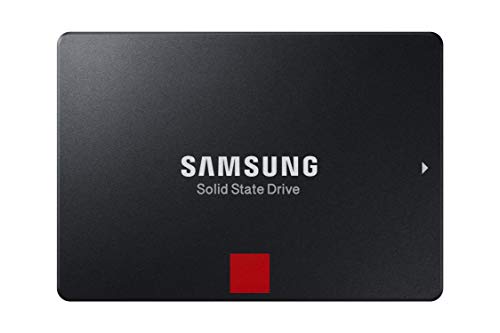
Samsung 860 PROMZ-76P1T0
|
Check the slot, protocol and heatsink clearance; compare the exact-model endurance rating. |
$594.45$580.52/TBView on Amazon ↗ — MZ-76P1T0, newChecked Sep 14, 2026 14:25 UTC |

Seagate IronWolfST4000VN008
|
4TB per bay. Check usable capacity after RAID and your NAS compatibility list. |
$225.00$56.25/TBView on Amazon ↗ — ST4000VN008, newChecked Sep 14, 2026 14:28 UTC |

Western Digital WD Red PlusWD60EFPX
|
6TB per bay. Check usable capacity after RAID and your NAS compatibility list. |
$328.99$54.83/TBView on Amazon ↗ — WD60EFPX, newChecked Sep 14, 2026 14:25 UTC |

Western Digital WD GoldWD8005FRYZ
|
Bulk storage candidate. Check sector format, cooling and the warranty provider. |
$444.99$55.62/TBView on Amazon ↗ — WD8005FRYZ, newChecked Sep 14, 2026 14:24 UTC |

Seagate Exos X16ST10000NM002G
|
Requires a compatible SAS controller/backplane; not a SATA-only NAS option. |
$380.99$38.10/TBView on Amazon ↗ — ST10000NM002G, newChecked Sep 14, 2026 13:02 UTC |

Toshiba MG09MG09ACA14TE
|
Bulk storage candidate. Check sector format, cooling and the warranty provider. |
$962.88$68.78/TBView on Amazon ↗ — MG09ACA14TE, newChecked Sep 14, 2026 14:26 UTC |

Seagate Exos X16ST16000NM004G
|
Requires a compatible SAS controller/backplane; not a SATA-only NAS option. |
$690.52$43.16/TBView on Amazon ↗ — ST16000NM004G, newChecked Sep 14, 2026 14:27 UTC |
Specifications: linked manufacturer model pages. Selection covers different capacities and families; it is not a reliability ranking. Prices are per listed drive; Amazon’s price and availability at purchase apply.
1. SATA
The most common interface for home and SMB storage. Tops out at ~550 MB/s — more than sufficient for HDDs and most everyday SSDs.
2. SAS
Enterprise-grade interface with dual-port support and higher reliability. Requires expensive HBA controllers — overkill for home use.
3. NVMe
PCIe-based protocol with speeds up to 7,000 MB/s on Gen 4. Ideal for OS drives, gaming, and video editing. Much higher cost per TB than SATA.
Quick Decision Guide
| Use Case | Recommended Interface |
|---|---|
| Home PC | SATA or NVMe |
| Gaming | NVMe |
| NAS | SATA (CMR HDD) |
| Video Editing | NVMe |
| Enterprise Server | SAS |
| Cold Storage | SATA HDD |
Frequently Asked Questions
What is faster, SATA or NVMe?
Do I need SAS for a home NAS?
Can I use NVMe in a NAS?
Is SATA becoming obsolete?
Ready to find the best deal?
Compare Amazon US offers by capacity, condition and price per TB.