| Model & capacity | Fit & specifications | US offer |
|---|---|---|
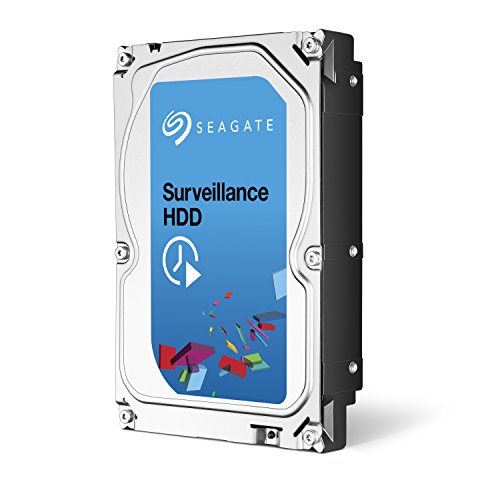
Seagate Surveillance HDDST2000VX003
|
Choose capacity for recording days; verify your DVR/NVR model and firmware. |
$144.00$72.00/TBView on Amazon ↗ — ST2000VX003, newChecked Oct 27, 2026 22:24 UTC |

Seagate SkyHawkST2000VX017
|
Choose capacity for recording days; verify your DVR/NVR model and firmware. |
$182.00$91.00/TBView on Amazon ↗ — ST2000VX017, newChecked Oct 27, 2026 22:21 UTC |

Seagate Surveillance HDDST3000VX000
|
Choose capacity for recording days; verify your DVR/NVR model and firmware. |
$145.00$48.33/TBView on Amazon ↗ — ST3000VX000, newChecked Oct 27, 2026 22:27 UTC |

Seagate SkyHawkST3000VX009
|
Choose capacity for recording days; verify your DVR/NVR model and firmware. |
$165.00$55.00/TBView on Amazon ↗ — ST3000VX009, newChecked Oct 27, 2026 18:14 UTC |

Seagate SkyHawkST4000VX013
|
Choose capacity for recording days; verify your DVR/NVR model and firmware. SMR: consider sustained-write and array requirements. |
$203.95$50.99/TBView on Amazon ↗ — ST4000VX013, newChecked Oct 27, 2026 22:26 UTC |

Seagate SkyHawkST6000VX001
|
Choose capacity for recording days; verify your DVR/NVR model and firmware. |
$275.00$45.83/TBView on Amazon ↗ — ST6000VX001, newChecked Oct 27, 2026 22:23 UTC |

Seagate SkyHawkST8000VX0022
|
Choose capacity for recording days; verify your DVR/NVR model and firmware. |
$384.00$48.00/TBView on Amazon ↗ — ST8000VX0022, newChecked Oct 27, 2026 22:23 UTC |

Seagate SkyHawkST10000VX0004
|
Choose capacity for recording days; verify your DVR/NVR model and firmware. |
$455.00$45.50/TBView on Amazon ↗ — ST10000VX0004, newChecked Oct 27, 2026 22:25 UTC |

Seagate SkyHawk AIST12000VE003
|
Choose capacity for recording days; verify your DVR/NVR model and firmware. |
$573.60$47.80/TBView on Amazon ↗ — ST12000VE003, newChecked Oct 27, 2026 22:24 UTC |

Seagate SkyHawk AIST16000VE000
|
Choose capacity for recording days; verify your DVR/NVR model and firmware. |
$749.99$46.87/TBView on Amazon ↗ — ST16000VE000, newChecked Oct 27, 2026 22:23 UTC |
Specifications: linked manufacturer model pages. Selection covers different capacities and families; it is not a reliability ranking. Prices are per listed drive; Amazon’s price and availability at purchase apply.
Check your recorder before choosing a capacity
Find the exact DVR or NVR model, firmware version, supported drive interface and maximum supported capacity per bay. Check its drive compatibility list for the full manufacturer model number. Two 3.5-inch drives with the same capacity are not necessarily interchangeable: a SATA recorder cannot operate a SAS drive. Also check the physical mounting and power requirements. A desktop or NAS label alone does not establish that a drive is supported by your recorder.
Calculate recording days from bitrate
For continuous recording, daily storage in decimal GB is approximately total camera bitrate in Mb/s × 10.8. Retention days are nominal capacity in TB × 1,000 ÷ daily GB. For example, eight cameras recording at 4 Mb/s each produce about 345.6 GB per day. A 4TB drive therefore holds about 11.6 days before filesystem overhead and reserved space. If you reserve 20% of capacity, the planning estimate becomes about 9.3 days. These are arithmetic estimates, not recorder benchmarks. Variable bitrate, audio, codec settings, motion recording and the recorder's storage policy change the result.
Camera support and recording duration are different limits
A manufacturer camera-count rating describes a supported workload under stated conditions; it does not mean that the smallest capacity can store weeks of footage from that many cameras. Read the exact model's camera, transfer and workload specifications together. Leave headroom for playback, footage export and simultaneous recording. Check the recorder's own incoming-bandwidth limit too: buying a higher-rated drive does not increase that limit.
Example: ST1000VX003 is a specific +Rescue model
Seagate's Surveillance HDD datasheet identifies ST1000VX003 as the 1TB +Rescue variant. It lists SATA 6 Gb/s, 64MB cache, up to 180 MB/s sustained transfer, up to 64 cameras and no rotational-vibration sensor for that model. Published average operating and idle power are 5.6W and 4W. The catalog links to the manufacturer document and the exact Amazon US ASIN. An old +Rescue package designation does not establish that recovery-service coverage is active for a used drive or a purchase today; verify eligibility for the serial number and purchase date.
For multi-drive recorders, compare more than price per TB
Look for the model's documented drive-bay support and vibration-sensor specification, and compare power figures measured under equivalent manufacturer conditions. If you buy renewed hardware, establish who provides the warranty and returns, and test the drive before relying on it. A larger cache does not establish a reliability advantage. A workload rating is not an expected lifespan. If footage is important, decide which recordings need a separate backup or export; recording to a single drive is not a backup strategy.
Build a shortlist of exact models
Choose the required capacity from your retention estimate, filter the catalog to surveillance models, and check each part number against your recorder documentation. Use the comparison pages to check interface, sustained transfer, power and documented features side by side. Open the direct Amazon US listing only after choosing a model, then confirm the selected capacity, part number, condition and seller terms. A verified ASIN can remain valid while the product is unavailable; a product link is not an in-stock claim.
Quick Decision Guide
| Continuous recording at 4 Mb/s per camera | Total bitrate | Approximate GB/day | Days on 1TB before overhead |
|---|---|---|---|
| 1 camera | 4 Mb/s | 43.2 GB | 23.1 days |
| 4 cameras | 16 Mb/s | 172.8 GB | 5.8 days |
| 8 cameras | 32 Mb/s | 345.6 GB | 2.9 days |
Frequently Asked Questions
How many days can a 1TB surveillance drive record?
Does an Amazon product link mean the drive is available?
Can I choose a NAS drive instead?
Sources
Ready to find the best deal?
Compare Amazon US offers by capacity, condition and price per TB.