| Model & capacity | Fit & specifications | US offer |
|---|---|---|
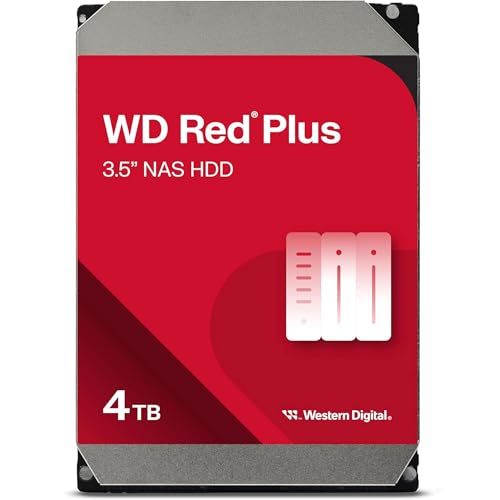
Western Digital WD Red PlusWD40EFZZ
|
4TB per bay. Check usable capacity after RAID and your NAS compatibility list. |
$232.48$58.12/TBView on Amazon ↗ — WD40EFZZ, newChecked Oct 27, 2026 12:19 UTC |

Western Digital WD Red PlusWD60EFPX
|
6TB per bay. Check usable capacity after RAID and your NAS compatibility list. |
$289.99$48.33/TBView on Amazon ↗ — WD60EFPX, newChecked Oct 27, 2026 13:32 UTC |

Western Digital WD Red PlusWD100EFGX
|
10TB per bay. Check usable capacity after RAID and your NAS compatibility list. |
$459.99$46.00/TBView on Amazon ↗ — WD100EFGX, newChecked Oct 27, 2026 05:19 UTC |

Western Digital WD Red PlusWD101EFBX
|
10TB per bay. Check usable capacity after RAID and your NAS compatibility list. |
$639.75$63.98/TBView on Amazon ↗ — WD101EFBX, newChecked Oct 27, 2026 13:36 UTC |

Western Digital WD Red PlusWD120EFGX
|
12TB per bay. Check usable capacity after RAID and your NAS compatibility list. |
$533.81$44.48/TBView on Amazon ↗ — WD120EFGX, newChecked Oct 27, 2026 12:21 UTC |

Western Digital WD Red ProWD121KFBX
|
12TB per bay. Check usable capacity after RAID and your NAS compatibility list. |
$674.00$56.17/TBView on Amazon ↗ — WD121KFBX, newChecked Oct 27, 2026 13:32 UTC |

Western Digital WD Red ProWD142KFGX
|
14TB per bay. Check usable capacity after RAID and your NAS compatibility list. |
$752.41$53.74/TBView on Amazon ↗ — WD142KFGX, newChecked Oct 27, 2026 13:32 UTC |

Western Digital WD Red ProWD161KFGX
|
16TB per bay. Check usable capacity after RAID and your NAS compatibility list. |
$714.99$44.69/TBView on Amazon ↗ — WD161KFGX, newChecked Oct 27, 2026 12:20 UTC |
Specifications: linked manufacturer model pages. Selection covers different capacities and families; it is not a reliability ranking. Prices are per listed drive; Amazon’s price and availability at purchase apply.
Start with Red Plus for a modest home workload
Our recommendation is to compare a supported Red Plus model first for a small backup or media NAS. Bring Red Pro into the shortlist when the published workload allowance, eligible warranty or system requirements matter to your use. This is a purchasing framework based on specifications, not evidence that one family has a lower failure rate. The cheapest compatible offer can still be a poor buy if its condition or warranty is unclear.
The published operating limits differ
The linked Red Plus sheet specifies CMR, up to eight bays, a 180 TB/year workload rating and a three-year limited warranty. The linked Red Pro sheet specifies CMR, unlimited bays, 550 TB/year and a five-year limited warranty. Apply these statements to the models in those documents; check older model generations individually. A workload rating includes transferred data and is not the same thing as the drive’s capacity.
Two concrete capacity comparisons
For 4TB, WD40EFPX lists 5,400 RPM versus 7,200 RPM for WD4003FFBX. For 8TB, WD80EFPX lists 5,640 RPM versus 7,200 RPM for WD8003FFBX. All four list 256MB cache. Keep the complete model identifier: newer suffixes can change published specifications within the same family and capacity. RPM alone is not an application benchmark or a measured noise comparison.
Compare the premium for every drive you need
If the difference between two suitable offers is $30 per drive, a four-drive purchase makes that a $120 decision. That example uses assumed prices. Ask whether the benefits of Pro are useful enough to justify the complete difference, including any changes to backup storage. Buying a more expensive primary drive does not remove the need for a separate copy of important data.
Keep new and renewed offers separate
A renewed Red Pro offer can cost less than a new Red Plus offer, but that is a different comparison from new versus new. Check who provides the warranty, the return window and the selected condition. A five-year manufacturer specification does not promise five years of cover on an arbitrary used unit. Follow the exact model links and compare the seller terms before treating a lower price as better value.
Quick Decision Guide
| Decision point | Red Plus | Red Pro |
|---|---|---|
| 4TB example | WD40EFPX · 5,400 RPM | WD4003FFBX · 7,200 RPM |
| 8TB example | WD80EFPX · 5,640 RPM | WD8003FFBX · 7,200 RPM |
| Cache on these four models | 256MB | 256MB |
| Workload in linked datasheets | 180 TB/year | 550 TB/year |
| Eligible new-drive limited warranty | 3 years | 5 years |
Frequently Asked Questions
Is WD Red Plus the same as WD Red?
Is Red Pro automatically quieter or more reliable?
Sources
Ready to find the best deal?
Compare Amazon US offers by capacity, condition and price per TB.