| Model & capacity | Fit & specifications | US offer |
|---|---|---|

Seagate IronWolfST4000VN006
|
4TB per bay. Check usable capacity after RAID and your NAS compatibility list. |
$210.30$52.58/TBView on Amazon ↗ — ST4000VN006, newChecked Oct 27, 2026 13:33 UTC |

Seagate IronWolf ProST4000NT001
|
4TB per bay. Check usable capacity after RAID and your NAS compatibility list. |
$223.00$55.75/TBView on Amazon ↗ — ST4000NT001, newChecked Oct 27, 2026 13:33 UTC |

Seagate IronWolfST6000VN001
|
6TB per bay. Check usable capacity after RAID and your NAS compatibility list. |
$319.00$53.17/TBView on Amazon ↗ — ST6000VN001, newChecked Oct 27, 2026 13:33 UTC |

Seagate IronWolf ProST8000NE001
|
8TB per bay. Check usable capacity after RAID and your NAS compatibility list. |
$440.00$55.00/TBView on Amazon ↗ — ST8000NE001, newChecked Oct 27, 2026 12:22 UTC |

Seagate IronWolfST10000VN0008
|
10TB per bay. Check usable capacity after RAID and your NAS compatibility list. |
$459.00$45.90/TBView on Amazon ↗ — ST10000VN0008, newChecked Oct 27, 2026 12:25 UTC |

Seagate IronWolfST12000VN0008
|
12TB per bay. Check usable capacity after RAID and your NAS compatibility list. |
$529.94$44.16/TBView on Amazon ↗ — ST12000VN0008, newChecked Oct 27, 2026 12:24 UTC |
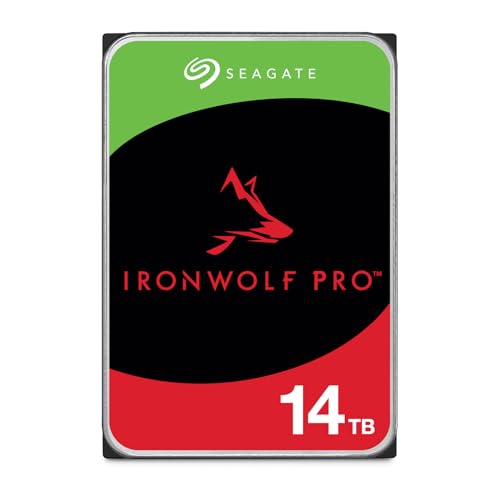
Seagate IronWolf ProST14000NT001
|
14TB per bay. Check usable capacity after RAID and your NAS compatibility list. |
$654.45$46.75/TBView on Amazon ↗ — ST14000NT001, newChecked Oct 27, 2026 05:18 UTC |

Seagate IronWolf ProST16000NT001
|
16TB per bay. Check usable capacity after RAID and your NAS compatibility list. |
$629.99$39.37/TBView on Amazon ↗ — ST16000NT001, newChecked Oct 27, 2026 12:26 UTC |
Specifications: linked manufacturer model pages. Selection covers different capacities and families; it is not a reliability ranking. Prices are per listed drive; Amazon’s price and availability at purchase apply.
For a small home NAS, compare standard IronWolf first
Our buying approach: start with a supported standard IronWolf model if you mainly store backups, photos and media. Consider Pro when its workload allowance, longer eligible warranty or your enclosure requirements justify the extra cost. If those advantages will go unused, keeping the difference for a separate backup can be the more useful purchase. We have not benchmarked these drives or established a reliability winner.
What the published ratings change
The standard models covered by the linked IronWolf sheet specify CMR recording, 180 TB/year workloads, one to eight drive bays and a three-year limited warranty. The NT-series Pro models in the linked Pro sheet specify 550 TB/year, no stated bay-count limit and five years of limited warranty. Warranty eligibility and terms apply to the actual new unit and region; do not carry these promises across to a renewed seller listing. Older Pro generations need their own datasheets.
At 4TB and 8TB, compare the suffix too
ST4000VN006 and ST4000NT001 are both 4TB models with 256MB cache, but their spindle speeds are 5,400 and 7,200 RPM respectively. At 8TB, ST8000VN004 and ST8000NT001 both specify 7,200 RPM and 256MB cache. The family name does not tell you all of this. Keep the full identifier in your shortlist, including when Amazon changes the selected capacity or package.
Before placing the order
Check the exact-model compatibility list for your NAS and software version. Compare the same capacity and condition, then confirm the seller and warranty provider. For mixed arrays, check the storage system’s expansion rules rather than assuming that adding a larger drive immediately creates more usable space. Use the model pages below to examine the source specifications and matched Amazon US listings.
Quick Decision Guide
| Compare | Standard IronWolf | IronWolf Pro |
|---|---|---|
| 4TB model | ST4000VN006 | ST4000NT001 |
| 4TB spindle speed | 5,400 RPM | 7,200 RPM |
| 8TB model | ST8000VN004 | ST8000NT001 |
| 8TB spindle speed | 7,200 RPM | 7,200 RPM |
| Workload rating in linked sheets | 180 TB/year | 550 TB/year (NT models) |
| Eligible new-drive limited warranty | 3 years | 5 years |
Frequently Asked Questions
Does Pro make a home NAS faster?
Should every drive in my NAS be Pro?
Sources
Ready to find the best deal?
Compare Amazon US offers by capacity, condition and price per TB.