1. Compare HDD prices within the right group
Choose internal or external, then new or used / renewed. For an internal NAS drive, also check the exact recording technology, SATA or SAS interface, and your enclosure's supported models. An inexpensive SAS drive is not an alternative for a SATA-only bay. Our CMR SATA value report compares a tracked sample of exact models at 4–24TB; it does not cover every Amazon offer or rank reliability. Read each check time and confirm the selected seller and condition on Amazon.
2. Compare SSDs your system supports
Separate 2.5-inch SATA, M.2 SATA, NVMe and external USB products. M.2 describes a form factor; it does not guarantee that a slot supports every M.2 SSD. Check your system manual, required length and heatsink clearance first. Within compatible choices, compare equal capacities and the workload you need: a low price per TB does not establish sustained-write performance or endurance. Do not assume SATA is cheaper than NVMe without checking current offers.
3. Calculate unit cost and keep the total in view
Price per TB = listed price ÷ advertised decimal capacity in TB. In an illustrative comparison, $300 for 20TB is $15/TB; $240 for 14TB is about $17.14/TB. The larger drive buys 6TB more for $60, but the smaller one still costs less overall. If 14TB already covers your planned use, the extra capacity may not justify the spend. These figures explain the calculation; they are not current listings. Add shipping, tax and required hardware to your own purchase budget.
4. Use consistent units, then account for RAID
Advertised 1TB means 1,000,000,000,000 bytes. A 16TB drive therefore holds about 14.55TiB before formatting; this change of units does not mean those bytes disappeared. Compare all offers using the same unit. For a NAS, use capacity after redundancy as a separate calculation: two 16TB drives in a mirror provide 16TB nominal usable capacity, not 32TB. At an illustrative $240 per drive, the pair costs $480, or $30 per usable TB before overhead. Budget for the enclosure and an independent backup too.
5. Check what the cheap offer leaves out
Open the exact listing and verify capacity, condition, seller, included accessories and warranty provider. An external enclosure, an SSD heatsink and a bare drive are different purchases. A used drive's saving should be evaluated alongside return terms and your tolerance for replacement work. Discount percentages are not proof of value: compare the actual amount you would pay with other suitable offers. Disk Scout's current tables are snapshots, so they cannot establish an all-time-low price or predict the next sale.
Worked examples, not current prices
| Illustrative purchase | Total cost | Capacity used in calculation | Unit cost |
|---|---|---|---|
| One 14TB drive | $240 | 14TB raw | $17.14 per raw TB |
| One 20TB drive | $300 | 20TB raw | $15.00 per raw TB |
| Two 16TB drives at $240 each, RAID 1 | $480 | 16TB after mirroring, before overhead | $30.00 per usable TB |
| Model & capacity | Fit & specifications | US offer |
|---|---|---|

Samsung 860 EVOMZ-76E1T0
|
Check the slot, protocol and heatsink clearance; compare the exact-model endurance rating. Used / renewed: check seller warranty and returns. |
$108.78$108.78/TBView on Amazon ↗ — MZ-76E1T0, usedChecked Oct 29, 2026 14:41 UTC |

Kingston KC3000SKC3000S/1024G
|
Check the slot, protocol and heatsink clearance; compare the exact-model endurance rating. |
$269.51$263.19/TBView on Amazon ↗ — SKC3000S/1024G, newChecked Oct 29, 2026 14:38 UTC |

Corsair MP600 ELITECSSD-F2000GBMP600EHS
|
Check the slot, protocol and heatsink clearance; compare the exact-model endurance rating. Used / renewed: check seller warranty and returns. |
$349.99$175.00/TBView on Amazon ↗ — CSSD-F2000GBMP600EHS, usedChecked Oct 29, 2026 14:37 UTC |
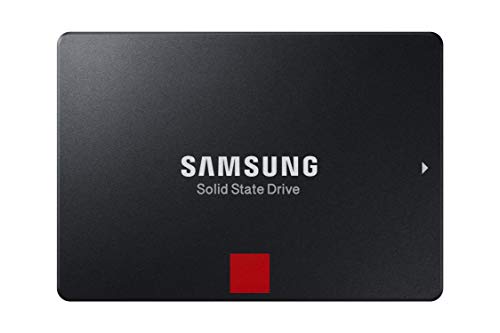
Samsung 860 PROMZ-76P2T0
|
Check the slot, protocol and heatsink clearance; compare the exact-model endurance rating. |
$967.45$472.39/TBView on Amazon ↗ — MZ-76P2T0, newChecked Oct 29, 2026 14:41 UTC |

Seagate IronWolfST4000VN006
|
4TB per bay. Check usable capacity after RAID and your NAS compatibility list. |
$179.99$45.00/TBView on Amazon ↗ — ST4000VN006, newChecked Oct 29, 2026 14:38 UTC |

Seagate IronWolfST6000VN001
|
6TB per bay. Check usable capacity after RAID and your NAS compatibility list. |
$310.00$51.67/TBView on Amazon ↗ — ST6000VN001, newChecked Oct 29, 2026 13:14 UTC |

Western Digital WD GoldWD8005FRYZ
|
Bulk storage candidate. Check sector format, cooling and the warranty provider. |
$414.99$51.87/TBView on Amazon ↗ — WD8005FRYZ, newChecked Oct 29, 2026 14:39 UTC |

Western Digital WD Red PlusWD101EFBX
|
10TB per bay. Check usable capacity after RAID and your NAS compatibility list. Used / renewed: check seller warranty and returns. |
$339.99$34.00/TBView on Amazon ↗ — WD101EFBX, usedChecked Oct 29, 2026 13:14 UTC |

Toshiba MG07MG07ACA14TE
|
Bulk storage candidate. Check sector format, cooling and the warranty provider. Used / renewed: check seller warranty and returns. |
$354.00$25.29/TBView on Amazon ↗ — MG07ACA14TE, usedChecked Oct 29, 2026 14:38 UTC |

Toshiba MG09MG09ACA18TE
|
Bulk storage candidate. Check sector format, cooling and the warranty provider. Used / renewed: check seller warranty and returns. |
$635.00$35.28/TBView on Amazon ↗ — MG09ACA18TE, usedChecked Oct 29, 2026 14:39 UTC |
Specifications: linked manufacturer model pages. Selection covers different capacities and families; it is not a reliability ranking. Prices are per listed drive; Amazon’s price and availability at purchase apply.
Frequently Asked Questions
What is a good price per TB for an HDD today?
How do I calculate price per TB?
Is the lowest price per TB always the best purchase?
Can Disk Scout tell whether a price is an all-time low?
Sources
Ready to find the best deal?
Compare Amazon US offers by capacity, condition and price per TB.