TBW and the warranty are different from lifespan
TBW is a write-endurance rating under specified conditions. Samsung, for example, lists the 1TB 990 PRO at five years or 600 TBW, whichever occurs first. Reaching the write limit is not a promised failure date, and staying below it does not rule out a fault. Read the full terms for the exact product and keep independent backups.
Measure your writes before choosing a rating
Record total host writes using the drive manufacturer’s health utility, then read it again after a representative week or month. Divide the change by the number of days. Include your normal game downloads, editing work, virtual machines or backup jobs. A short unusually quiet period will underestimate future writes; a one-off installation can overestimate them.
Source: Samsung Magician: supported health and write counters
Worked examples: a 600 TBW write budget
These are arithmetic scenarios, not typical-user estimates or lifespan forecasts. At 100GB written per day, five years of writes total 182.5TB. At 300GB per day, the total is 547.5TB. At 1,000GB per day, it is 1,825TB. Use decimal units: daily GB × 365 × years ÷ 1,000. Leave margin for growth and compare the result with the capacity-specific rating.
How to calculate DWPD
DWPD = TBW ÷ (capacity in TB × 365 × years). For a 1TB drive rated at 600 TBW over five years, that is about 0.33 drive writes per day. Compare ratings using the same period and comparable endurance test conditions. A five-year warranty does not mean unlimited writing during those years.
What a health percentage can and cannot tell you
Use the manufacturer’s documentation to interpret health, write counters and error indicators for your exact SSD. A health estimate is not a certificate that a used unit is safe, and there is no universal percentage below which buying used is risk-free. Check the seller’s returns, warranty eligibility and any reported errors as well as writes.
1TB vs 2TB: does more capacity buy more write allowance?
Compare the exact capacity, not just the family name. Samsung lists 600, 1,200 and 2,400 TBW for the 1TB, 2TB and 4TB 990 PRO respectively, subject to a five-year time limit or the write limit, whichever comes first. Dividing those ratings across five years gives the examples below. All three have approximately the same DWPD; the larger capacities allow more absolute writes. These are arithmetic budgets, not recommended workloads or lifespan predictions.
| Manufacturer model / capacity | Rated writes | GB/day over 5 years | DWPD over 5 years |
|---|---|---|---|
| 990 PRO 1TB · MZ-V9P1T0 | 600 TBW | 329 | 0.33 |
| 990 PRO 2TB · MZ-V9P2T0 | 1,200 TBW | 658 | 0.33 |
| 990 PRO 4TB · MZ-V9P4T0 | 2,400 TBW | 1,315 | 0.33 |
How endurance should change your shortlist
Match capacity, slot and cooling first. For frequent large writes, compare the exact capacity’s TBW and independent sustained-write tests; peak sequential speed is a different measurement. For lighter use, do the write-budget calculation before paying more solely for endurance. Equal TBW ratings also do not establish equal speed or reliability: the 1TB T500 and 990 PRO both list 600 TBW, but are different products.
Write-budget examples
| Daily writes (illustrative) | Writes over 5 years | Share of 600 TBW |
|---|---|---|
| 100GB/day | 182.5TB | 30.4% |
| 300GB/day | 547.5TB | 91.3% |
| 1,000GB/day | 1,825TB | 304.2% |
| Model & capacity | Fit & specifications | US offer |
|---|---|---|

Samsung 860 EVOMZ-76E1T0
|
Check the slot, protocol and heatsink clearance; compare the exact-model endurance rating. |
$157.99$157.99/TBView on Amazon ↗ — MZ-76E1T0, newChecked Oct 28, 2026 14:30 UTC |

Crucial T500CT1000T500SSD8
|
Check the slot, protocol and heatsink clearance; compare the exact-model endurance rating. |
$298.95$298.95/TBView on Amazon ↗ — CT1000T500SSD8, newChecked Oct 28, 2026 13:07 UTC |

Kingston KC3000SKC3000S/1024G
|
Check the slot, protocol and heatsink clearance; compare the exact-model endurance rating. |
$269.51$263.19/TBView on Amazon ↗ — SKC3000S/1024G, newChecked Oct 28, 2026 13:05 UTC |

Kingston NV3SNV3S/2000G
|
Check the slot, protocol and heatsink clearance; compare the exact-model endurance rating. |
$285.70$142.85/TBView on Amazon ↗ — SNV3S/2000G, newChecked Oct 28, 2026 14:27 UTC |

Western Digital Black SN850XWDS200T2XHE
|
Check the slot, protocol and heatsink clearance; compare the exact-model endurance rating. |
$437.99$219.00/TBView on Amazon ↗ — WDS200T2XHE, newChecked Oct 28, 2026 13:04 UTC |
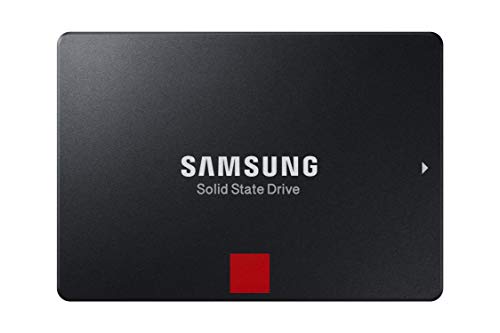
Samsung 860 PROMZ-76P2T0
|
Check the slot, protocol and heatsink clearance; compare the exact-model endurance rating. |
$967.45$472.39/TBView on Amazon ↗ — MZ-76P2T0, newChecked Oct 28, 2026 14:30 UTC |

Lexar NM790LNM790X004T-RNNNU
|
Check the slot, protocol and heatsink clearance; compare the exact-model endurance rating. |
$707.24$176.81/TBView on Amazon ↗ — LNM790X004T-RNNNU, newChecked Oct 28, 2026 14:30 UTC |
|
Western Digital Black SN850XWDS400T2XHE
|
Check the slot, protocol and heatsink clearance; compare the exact-model endurance rating. |
$764.99$191.25/TBView on Amazon ↗ — WDS400T2XHE, newChecked Oct 28, 2026 14:28 UTC |
Specifications: linked manufacturer model pages. Selection covers different capacities and families; it is not a reliability ranking. Prices are per listed drive; Amazon’s price and availability at purchase apply.
Frequently Asked Questions
What happens when an SSD reaches its TBW rating?
Is 600 TBW enough?
Does a 2TB SSD always have twice the TBW of a 1TB version?
Does a low Percentage Used make a used SSD a safe purchase?
Sources
Ready to find the best deal?
Compare Amazon US offers by capacity, condition and price per TB.