Where SMR needs extra care
SMR overlaps recording tracks. Rewriting data can require additional work, so sustained or random-write behaviour differs from CMR and depends on the drive and workload. Toshiba specifically distinguishes its desktop SMR models from the N300 NAS line for continuous random-write use. Recording method alone does not predict a drive failure or prove that an entire family is compatible with your array.
Western Digital: check the complete Red model number
WD’s linked Red brief identifies WD20EFAX, WD30EFAX, WD40EFAX and WD60EFAX as SMR. Do not apply this conclusion to every model ending in EFAX or every drive sold under the Red name. Red Plus and Red Pro have separate specifications. Check the exact replacement model and your NAS compatibility list instead of treating a colour or family label as a guarantee.
Source: Western Digital WD Red product brief: exact models and recording technology
Seagate: documented BarraCuda examples
The linked BarraCuda datasheet identifies ST2000DM005, ST3000DM007, ST4000DM004, ST6000DM003 and ST8000DM004 as SMR. This is a list of those part numbers, not a claim about every BarraCuda revision or every Seagate enterprise drive. For a NAS alternative, inspect the exact IronWolf or other candidate model and its supported use.
Source: Seagate BarraCuda DS1900-14: model-by-model recording technology
Toshiba: three documented P300 SMR models
Toshiba’s April 2025 P300 datasheet identifies HDWD320UZSVA at 2TB, HDWD240UZSVA at 4TB and HDWD260UZSVA at 6TB as SMR. These exact codes are also marked in our manufacturer catalog. Retail package codes and older P300 revisions can differ, so the family name or capacity alone does not establish recording technology. The linked table is evidence for these three models, not every drive ever sold as a P300.
How to check an unlisted model
Read the complete model number from the drive label or the operating system, then find the manufacturer’s matching specification or product manual. Check the recording-technology field and the capacity column. If documentation is ambiguous, ask the manufacturer before choosing it for a demanding array. A slow copy, cache size or spindle speed is not a reliable substitute for documented recording technology. Confirm that the Amazon offer actually identifies the same model. The catalog can narrow this check by recording technology and interface. Search the complete model number or a documented package code, then open the model page for its source. Models with missing recording data are not included in either the CMR or SMR filter.
Documented SMR model examples
| Brand / family | Exact model | Capacity | Recording |
|---|---|---|---|
| WD Red | WD20EFAX | 2TB | SMR |
| WD Red | WD30EFAX | 3TB | SMR |
| WD Red | WD40EFAX | 4TB | SMR |
| WD Red | WD60EFAX | 6TB | SMR |
| Seagate BarraCuda | ST2000DM005 | 2TB | SMR |
| Seagate BarraCuda | ST3000DM007 | 3TB | SMR |
| Seagate BarraCuda | ST4000DM004 | 4TB | SMR |
| Seagate BarraCuda | ST6000DM003 | 6TB | SMR |
| Seagate BarraCuda | ST8000DM004 | 8TB | SMR |
| Toshiba P300 | HDWD320UZSVA | 2TB | SMR |
| Toshiba P300 | HDWD240UZSVA | 4TB | SMR |
| Toshiba P300 | HDWD260UZSVA | 6TB | SMR |
| Model & capacity | Fit & specifications | US offer |
|---|---|---|

Seagate IronWolfST4000VN006
|
4TB per bay. Check usable capacity after RAID and your NAS compatibility list. |
$210.30$52.58/TBView on Amazon ↗ — ST4000VN006, newChecked Oct 27, 2026 13:33 UTC |

Western Digital WD Red PlusWD60EFPX
|
6TB per bay. Check usable capacity after RAID and your NAS compatibility list. |
$289.99$48.33/TBView on Amazon ↗ — WD60EFPX, newChecked Oct 27, 2026 13:32 UTC |

Western Digital WD GoldWD8005FRYZ
|
Bulk storage candidate. Check sector format, cooling and the warranty provider. |
$414.99$51.87/TBView on Amazon ↗ — WD8005FRYZ, newChecked Oct 27, 2026 13:32 UTC |

Seagate IronWolfST10000VN0008
|
10TB per bay. Check usable capacity after RAID and your NAS compatibility list. |
$459.00$45.90/TBView on Amazon ↗ — ST10000VN0008, newChecked Oct 27, 2026 12:25 UTC |

Seagate IronWolfST12000VN0008
|
12TB per bay. Check usable capacity after RAID and your NAS compatibility list. |
$529.94$44.16/TBView on Amazon ↗ — ST12000VN0008, newChecked Oct 27, 2026 12:24 UTC |
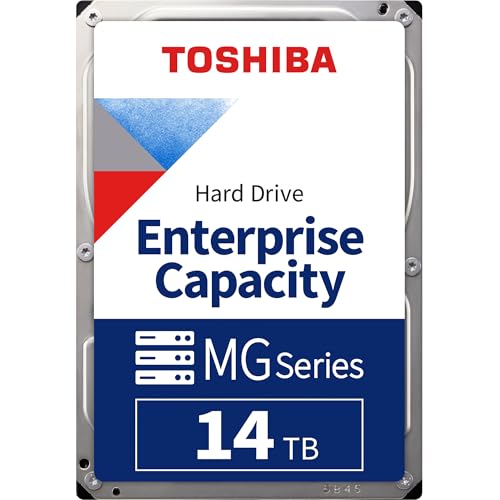
Toshiba MG09MG09ACA14TE
|
Bulk storage candidate. Check sector format, cooling and the warranty provider. |
$969.99$69.28/TBView on Amazon ↗ — MG09ACA14TE, newChecked Oct 27, 2026 13:35 UTC |

Western Digital Ultrastar DC HC550WUH721816ALE6L4
|
Bulk storage candidate. Check sector format, cooling and the warranty provider. |
$744.45$46.53/TBView on Amazon ↗ — WUH721816ALE6L4, newChecked Oct 27, 2026 05:19 UTC |

Toshiba MG09MG09ACA18TE
|
Bulk storage candidate. Check sector format, cooling and the warranty provider. |
$809.00$44.94/TBView on Amazon ↗ — MG09ACA18TE, newChecked Oct 27, 2026 13:35 UTC |
Specifications: linked manufacturer model pages. Selection covers different capacities and families; it is not a reliability ranking. Prices are per listed drive; Amazon’s price and availability at purchase apply.
Frequently Asked Questions
Is every WD model ending in EFAX an SMR drive?
If my drive is missing from this list, is it CMR?
Can I identify SMR from a slow write-speed test?
Is SMR unsuitable for every use?
Ready to find the best deal?
Compare Amazon US offers by capacity, condition and price per TB.