RAID is redundancy; a backup is a separate recovery copy
A redundant RAID layout can keep data available through certain drive failures. RAID 0 provides no redundancy. Neither redundancy nor a snapshot on the same machine substitutes for an independent backup against loss of the whole system. Include backup storage, retention and restore testing in the budget. Continuing to run a degraded array does not mean it has retained its original fault tolerance.
Source: TrueNAS ZFS primer: redundancy, scrubs and resilvering
RAID 1, 5, 6 and 10: the key differences
A two-drive RAID 1 mirror is a straightforward option when its capacity is sufficient. RAID 5 requires at least three drives and reserves the equivalent of one drive for parity. RAID 6 requires at least four and reserves two. RAID 10 stripes across mirror pairs and normally needs an even number of drives, starting at four. Its failure tolerance depends on which drives fail, not only the count. Check which layouts your enclosure and software support.
Source: Synology DSM: choose a RAID type
RAID 5 vs RAID 6: what the extra parity costs
For four equal 10TB drives, the nominal capacity is 30TB with RAID 5 or 20TB with RAID 6, before system reservations and file-system overhead. RAID 6 trades 10TB of that nominal capacity for tolerance of a second drive failure. There is no universal capacity threshold at which every RAID 5 installation becomes unacceptable. Consider restore time, outage cost, workload, array width, drive health and the platform’s recommendations before choosing the trade-off.
A read error is not automatically total array loss
After a failure, remaining redundancy and the implementation determine what can be recovered. An unrecoverable read can damage particular data or interrupt a rebuild; it does not universally mean every file is lost. Rebuild duration varies with capacity, activity, controller and layout. ZFS resilvering differs from a controller copying every sector: it can copy allocated data. Keep alerts enabled, investigate scrub errors and maintain backups before a failure rather than waiting for a rebuild to start.
Source: TrueNAS ZFS primer: redundancy, scrubs and resilvering
Capacity math: TB, TiB and reserved space
For equal drives of capacity C, nominal RAID 5 capacity is (n−1)×C; RAID 6 is (n−2)×C; RAID 10 is n×C÷2. Conventional mixed-size arrays are generally limited by their smallest member. Decimal TB and binary TiB are different units: 30TB is about 27.3TiB before overhead. That unit conversion is not capacity lost by formatting. System partitions, file-system metadata, parity layout, snapshots and free-space planning reduce what you can actually fill. Use your NAS vendor’s calculator for the final layout.
Source: Synology DSM: choose a RAID type
RAIDZ and mirrors in ZFS
RAIDZ1, RAIDZ2 and RAIDZ3 provide one, two and three drives’ worth of parity protection per vdev, but they are not identical implementations of RAID 5/6. ZFS checksums and scrubs help detect corruption and can repair it when a valid redundant copy is available. Mirror layouts and RAIDZ have different performance and expansion trade-offs. Follow the platform’s sizing advice; the nominal arithmetic is only a planning starting point.
Source: TrueNAS ZFS primer: redundancy, scrubs and resilvering
Can you add drives later?
Expansion rules depend on the NAS platform and software version. Current TrueNAS supports adding a drive to an existing RAIDZ vdev on supported versions, with redistribution and capacity caveats. That is different from adding another vdev. Synology SHR has its own mixed-capacity and expansion rules. Check the supported path before filling every bay, and keep a backup before changing the pool. Buying a spare does not add capacity or parity until it is used in a supported layout.
RAID capacity examples with 10TB drives
| Layout | Drives in example | Nominal capacity | Drive failure tolerance |
|---|---|---|---|
| RAID 1 | 2 × 10TB | 10TB (about 9.1TiB) | 1 of the 2 |
| RAID 5 | 4 × 10TB | 30TB (about 27.3TiB) | Any 1 |
| RAID 6 | 4 × 10TB | 20TB (about 18.2TiB) | Any 2 |
| RAID 10 | 4 × 10TB | 20TB (about 18.2TiB) | Any 1; two only in different mirror pairs |
| RAID 0 | 4 × 10TB | 40TB (about 36.4TiB) | None |
| Model & capacity | Fit & specifications | US offer |
|---|---|---|

Seagate IronWolfST4000VN006
|
4TB per bay. Check usable capacity after RAID and your NAS compatibility list. |
$210.30$52.58/TBView on Amazon ↗ — ST4000VN006, newChecked Oct 27, 2026 13:33 UTC |

Western Digital WD Red PlusWD60EFPX
|
6TB per bay. Check usable capacity after RAID and your NAS compatibility list. |
$289.99$48.33/TBView on Amazon ↗ — WD60EFPX, newChecked Oct 27, 2026 13:32 UTC |

Toshiba N300MN10ADA800S
|
8TB per bay. Check usable capacity after RAID and your NAS compatibility list. |
$492.82$61.60/TBView on Amazon ↗ — MN10ADA800S, newChecked Oct 27, 2026 13:34 UTC |

Seagate IronWolfST10000VN0008
|
10TB per bay. Check usable capacity after RAID and your NAS compatibility list. |
$459.00$45.90/TBView on Amazon ↗ — ST10000VN0008, newChecked Oct 27, 2026 12:25 UTC |

Western Digital WD Red PlusWD120EFGX
|
12TB per bay. Check usable capacity after RAID and your NAS compatibility list. |
$533.81$44.48/TBView on Amazon ↗ — WD120EFGX, newChecked Oct 27, 2026 12:21 UTC |
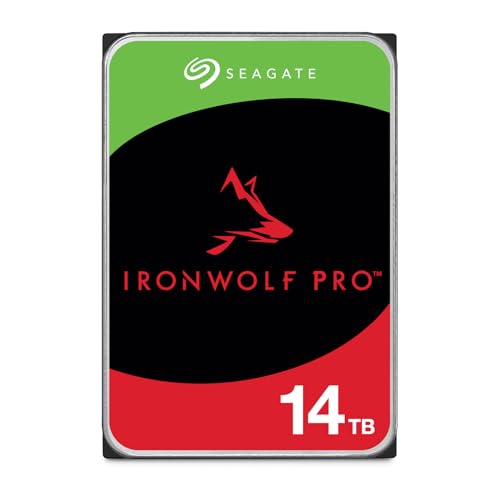
Seagate IronWolf ProST14000NT001
|
14TB per bay. Check usable capacity after RAID and your NAS compatibility list. |
$654.45$46.75/TBView on Amazon ↗ — ST14000NT001, newChecked Oct 27, 2026 05:18 UTC |

Toshiba N300 ProHDWG81GXZSTB
|
16TB per bay. Check usable capacity after RAID and your NAS compatibility list. |
$677.08$42.32/TBView on Amazon ↗ — HDWG81GXZSTB, newChecked Oct 27, 2026 12:23 UTC |

Seagate IronWolfST18000VN000
|
18TB per bay. Check usable capacity after RAID and your NAS compatibility list. |
$834.45$46.36/TBView on Amazon ↗ — ST18000VN000, newChecked Oct 27, 2026 05:19 UTC |

Toshiba N300 ProHDWG82AXZSTB
|
20TB per bay. Check usable capacity after RAID and your NAS compatibility list. |
$766.99$38.35/TBView on Amazon ↗ — HDWG82AXZSTB, newChecked Oct 27, 2026 13:34 UTC |

Seagate IronWolf ProST24000NT002
|
24TB per bay. Check usable capacity after RAID and your NAS compatibility list. |
$1,059.99$44.17/TBView on Amazon ↗ — ST24000NT002, newChecked Oct 27, 2026 13:34 UTC |
Specifications: linked manufacturer model pages. Selection covers different capacities and families; it is not a reliability ranking. Prices are per listed drive; Amazon’s price and availability at purchase apply.
Frequently Asked Questions
Is RAID 6 always better than RAID 5?
Does RAID 10 survive any two drive failures?
Can I mix drive sizes in RAID?
How much usable space do four 10TB drives provide?
Ready to find the best deal?
Compare Amazon US offers by capacity, condition and price per TB.