| Model & capacity | Fit & specifications | US offer |
|---|---|---|

Toshiba MG07MG07ACA14TE
|
Bulk storage candidate. Check sector format, cooling and the warranty provider. Used / renewed: check seller warranty and returns. |
$354.00$25.29/TBView on Amazon ↗ — MG07ACA14TE, usedChecked Oct 28, 2026 14:28 UTC |
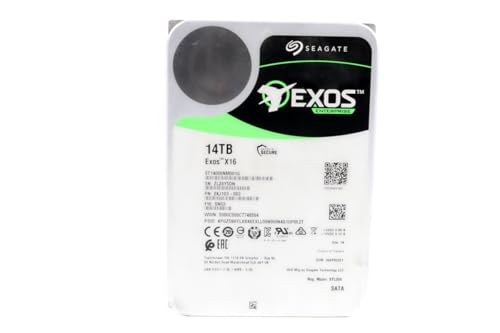
Seagate Exos X16ST14000NM001G
|
Bulk storage candidate. Check sector format, cooling and the warranty provider. Used / renewed: check seller warranty and returns. |
$409.99$29.29/TBView on Amazon ↗ — ST14000NM001G, usedChecked Oct 28, 2026 05:52 UTC |

Western Digital Ultrastar DC HC550WUH721816ALE6L4
|
Bulk storage candidate. Check sector format, cooling and the warranty provider. Used / renewed: check seller warranty and returns. |
$459.99$28.75/TBView on Amazon ↗ — WUH721816ALE6L4, usedChecked Oct 28, 2026 14:30 UTC |

Seagate Exos X16ST16000NM001G
|
Bulk storage candidate. Check sector format, cooling and the warranty provider. Used / renewed: check seller warranty and returns. |
$489.99$30.62/TBView on Amazon ↗ — ST16000NM001G, usedChecked Oct 28, 2026 05:52 UTC |

Seagate Exos X18ST16000NM000J
|
Bulk storage candidate. Check sector format, cooling and the warranty provider. Used / renewed: check seller warranty and returns. |
$494.99$30.94/TBView on Amazon ↗ — ST16000NM000J, usedChecked Oct 28, 2026 14:31 UTC |
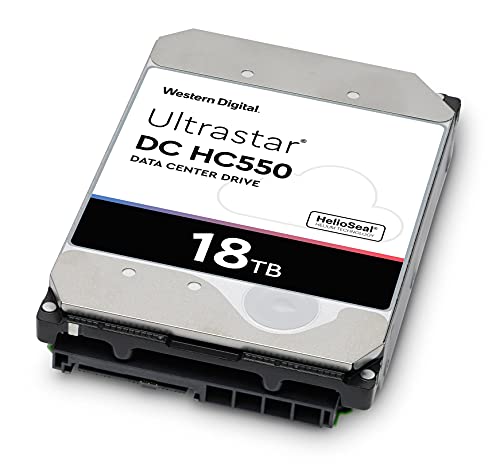
Western Digital Ultrastar DC HC550WUH721818ALE6L4
|
Bulk storage candidate. Check sector format, cooling and the warranty provider. Used / renewed: check seller warranty and returns. |
$529.00$29.39/TBView on Amazon ↗ — WUH721818ALE6L4, usedChecked Oct 28, 2026 13:07 UTC |

Seagate Exos X18ST18000NM000J
|
Bulk storage candidate. Check sector format, cooling and the warranty provider. Used / renewed: check seller warranty and returns. |
$549.99$30.55/TBView on Amazon ↗ — ST18000NM000J, usedChecked Oct 28, 2026 05:52 UTC |

Toshiba MG09MG09ACA18TE
|
Bulk storage candidate. Check sector format, cooling and the warranty provider. Used / renewed: check seller warranty and returns. |
$635.00$35.28/TBView on Amazon ↗ — MG09ACA18TE, usedChecked Oct 28, 2026 14:28 UTC |

Seagate Exos X22ST20000NM004E
|
Bulk storage candidate. Check sector format, cooling and the warranty provider. Used / renewed: check seller warranty and returns. |
$749.50$37.48/TBView on Amazon ↗ — ST20000NM004E, usedChecked Oct 28, 2026 14:31 UTC |
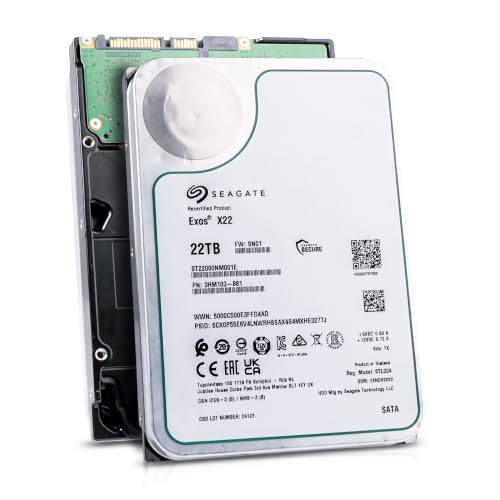
Seagate Exos X22ST22000NM001E
|
Bulk storage candidate. Check sector format, cooling and the warranty provider. Used / renewed: check seller warranty and returns. |
$699.00$31.77/TBView on Amazon ↗ — ST22000NM001E, usedChecked Oct 28, 2026 14:31 UTC |
Specifications: linked manufacturer model pages. Selection covers different capacities and families; it is not a reliability ranking. Prices are per listed drive; Amazon’s price and availability at purchase apply.
1. Read the condition and the seller terms
Used, seller refurbished, manufacturer recertified and Amazon Renewed are different descriptions. Do not assume the same testing, warranty or service provider applies to all of them. For Amazon Renewed, check that the product detail page explicitly includes the guarantee and read the terms for that offer. A manufacturer specification sheet describes the model; it does not establish warranty coverage for the particular used unit being sold. Record who handles a claim, the return deadline, return-shipping responsibility and whether a refund or replacement is available.
Source: Amazon Renewed program
2. Match the complete model number to your system
Start with the full manufacturer part number, not just a family name such as Exos or Ultrastar. Confirm capacity, SATA versus SAS, form factor, sector format and recording technology. An enterprise SAS drive is not a direct substitute for a SATA drive in an ordinary desktop or SATA-only NAS. Also check your NAS compatibility list, power connection, available cooling and tolerance for drive noise. For example, the Toshiba MG07ACA14TE is a 14TB SATA model; a similar-looking MG-series name is not proof of the same interface or capacity. Open the model page above for its manufacturer source and specification table.
3. Calculate savings against a suitable new alternative
Compare the final delivered price for one drive, the same usable capacity and a condition you are willing to accept. Include any controller, adapter or replacement costs. Illustrative arithmetic, not current prices: a $180 used 14TB drive costs $12.86/TB; a suitable $250 new 14TB drive costs $17.86/TB. The saving is $70, or 28% of the new price. Decide whether that saving compensates you for the specific seller terms, uncertain history and time spent testing or replacing a unit. Recalculate from the live offers rather than assuming a fixed refurbished discount.
4. A low failure rate does not certify an individual drive
Backblaze publishes observations from its own drive fleet, including SMART attributes associated with failures. Those population statistics do not reveal the handling, workload or remaining life of a particular marketplace unit. Clean SMART values are useful evidence, not a guarantee; no single lifetime counter proves that a drive is safe. Do not assume that a drive with many operating hours is safer than a new unit simply because it has survived so far. Use the seller history, diagnostics and return terms together, and keep a backup regardless of condition.
Source: Backblaze: SMART statistics and failure observations
5. Inspect and test inside the return window
Check the packaging, physical label and reported model/capacity as soon as the drive arrives. Save the original health report and run a manufacturer-supported extended diagnostic suitable for that drive and software version. Read the test description before starting: diagnostic, repair, erase and write tests are different operations. Back up any existing data first. Destructive write or erase tests delete data and belong only on an empty drive you have identified correctly. Save the results, compare health readings before and after, and contact the seller promptly about failed tests or new unreadable sectors. Passing a test does not guarantee future reliability.
Source: Seagate SeaTools 5 user guide
6. Keep drive replacement separate from data recovery
RAID or parity can improve availability after a drive failure. It is not an independent backup and cannot protect against every failure, deletion or incident. A single new drive holding the only copy is also a risk. Keep irreplaceable files in a separate backup and verify that you can restore them. A used drive can be a reasonable budget option when the exact model fits, the seller terms are acceptable and you can handle testing and replacement. If downtime, uncertain warranty coverage or replacement effort would outweigh the saving, compare a new option instead.
Quick Decision Guide
| Offer description | Evidence to check | Do not assume |
|---|---|---|
| Manufacturer recertified | Who recertified it and who honours the unit warranty | Original retail warranty or complete operating history |
| Amazon Renewed | Guarantee on the exact product page and chosen offer | Every used Amazon offer belongs to the program |
| Seller refurbished | Written testing procedure, condition and return terms | A standard industry-wide refurbishment process |
| Used / datacenter pull | Full model, health report, seller terms and unit condition | Low failure risk from the enterprise label alone |
Frequently Asked Questions
Is a refurbished hard drive safe for a NAS?
Does a clean SMART report prove a used drive is healthy?
Should I choose a used 14TB drive or a new 8TB drive?
Are the models above hands-on reviews?
Sources
Ready to find the best deal?
Compare Amazon US offers by capacity, condition and price per TB.